The Production Workspace
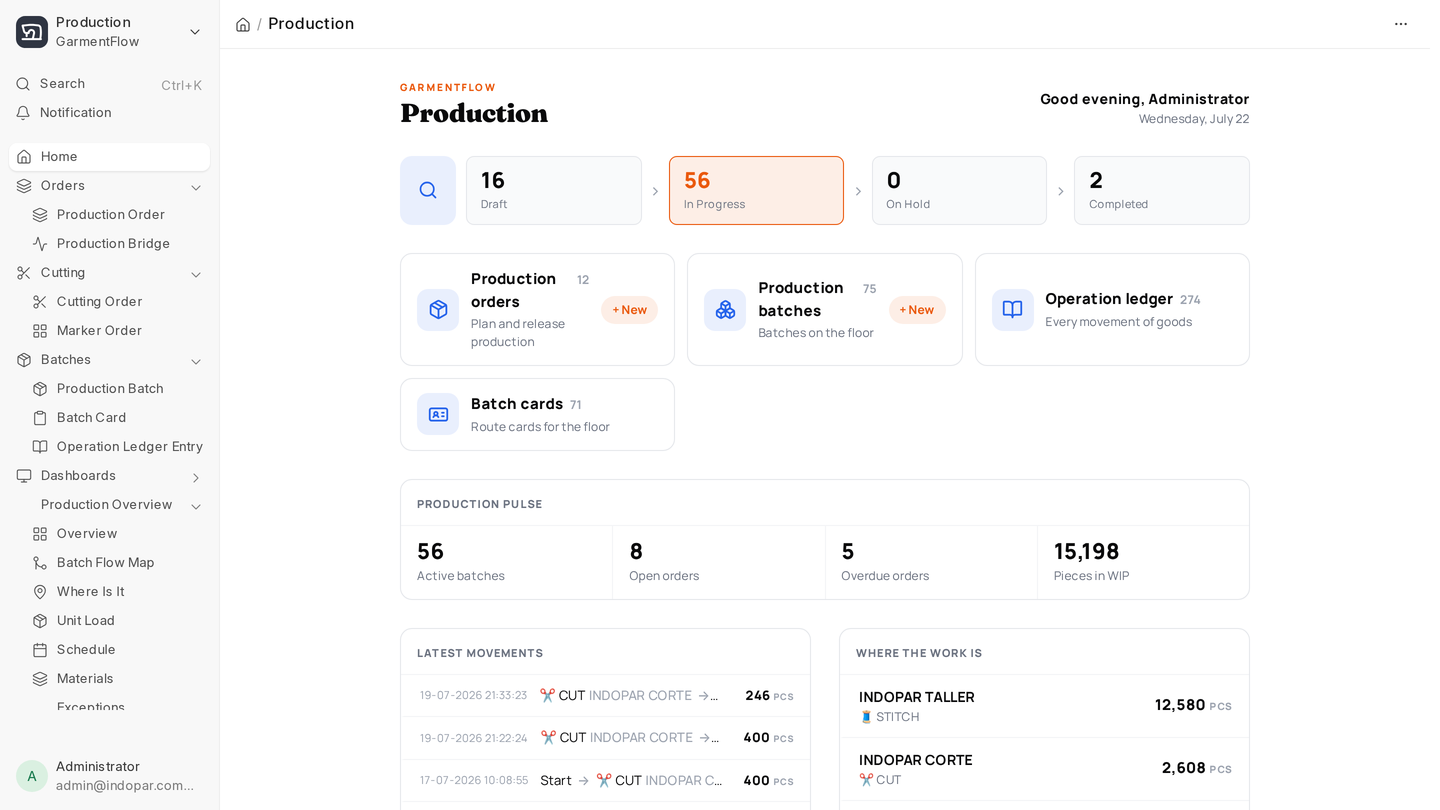
If you run the factory floor, this is your home. Open Desk → GarmentFlow → Production and the entire pipeline from a released order to a finished carton is one click away.
The Production workspace is organized around six cards, in roughly the order work flows through the factory:
- Orders — Production Orders, which take a Production Ready Tech Pack and a quantity and turn them into a plan.
- Cutting — Marker Orders and Cutting Orders, the bridge between the order and the bundles that hit the line.
- Batches — Production Batches, Batch Cards, and the Operation Ledger Entries that track every movement.
- Reports — tabular answers on status, capacity, materials, labour and cost.
- Subcontracting — the billing queue and the two reconciliation reports for work sent out. See Subcontracting.
- Setup — the masters and settings that need to be right before the floor starts running.
Above those, the workspace surfaces four KPIs you'll glance at every morning: Planned Qty, Orders In Progress, Overdue Orders, Overdue Batches. Below them sit four quick lists: Overdue Production Orders, Overdue Batches, In-Progress Orders, and Planned & Released Orders. Most production managers spend more time in those lists than in the full Production Order list.
The mental model
Three sentences that tie everything together:
A Production Order says what you're making and how much. A Production Batch is a slice of that order that travels together through the floor — same cut, same line, same path. The Operation Ledger records every time stock or work changes hands.
Every page in this section is a stop somewhere on that path.
Where to start
If you're new to this workspace, read in this order:
- Production Order — what gets created when an order is released.
- Cutting and marker — how an order becomes cut bundles.
- Production Batch — how those bundles flow through operations to finished goods.
- Daily execution — what your supervisors fill in every shift.
- Packing — boxing the finished goods and getting them ready to ship.
Then, as the order comes to an end: Closing the order, and for anything sent out, Subcontracting.
When you're ready to see the floor at a glance, jump to Dashboards. When you need a tabular answer, Reports.
The apps
Two touch-friendly apps sit alongside the Desk, each on its own page:
- Production App at
/garmentflow/production— for line supervisors with a tablet, and now for machine health on the floor. - Cutting App at
/garmentflow/cutting— for the cutting room: markers, rolls, plies, defects and handover. - Production Manager App at
/garmentflow/production-manager— flow, cutting, materials and batch audit, for the person walking the floor. - Packing App at
/garmentflow/packing— boxing and labelling finished goods. See Packing.
Machines
The machines the floor runs on live in their own workspace: Maintenance — work centers, floor monitor, breakdowns, preventive maintenance and spare parts.