Production Batch
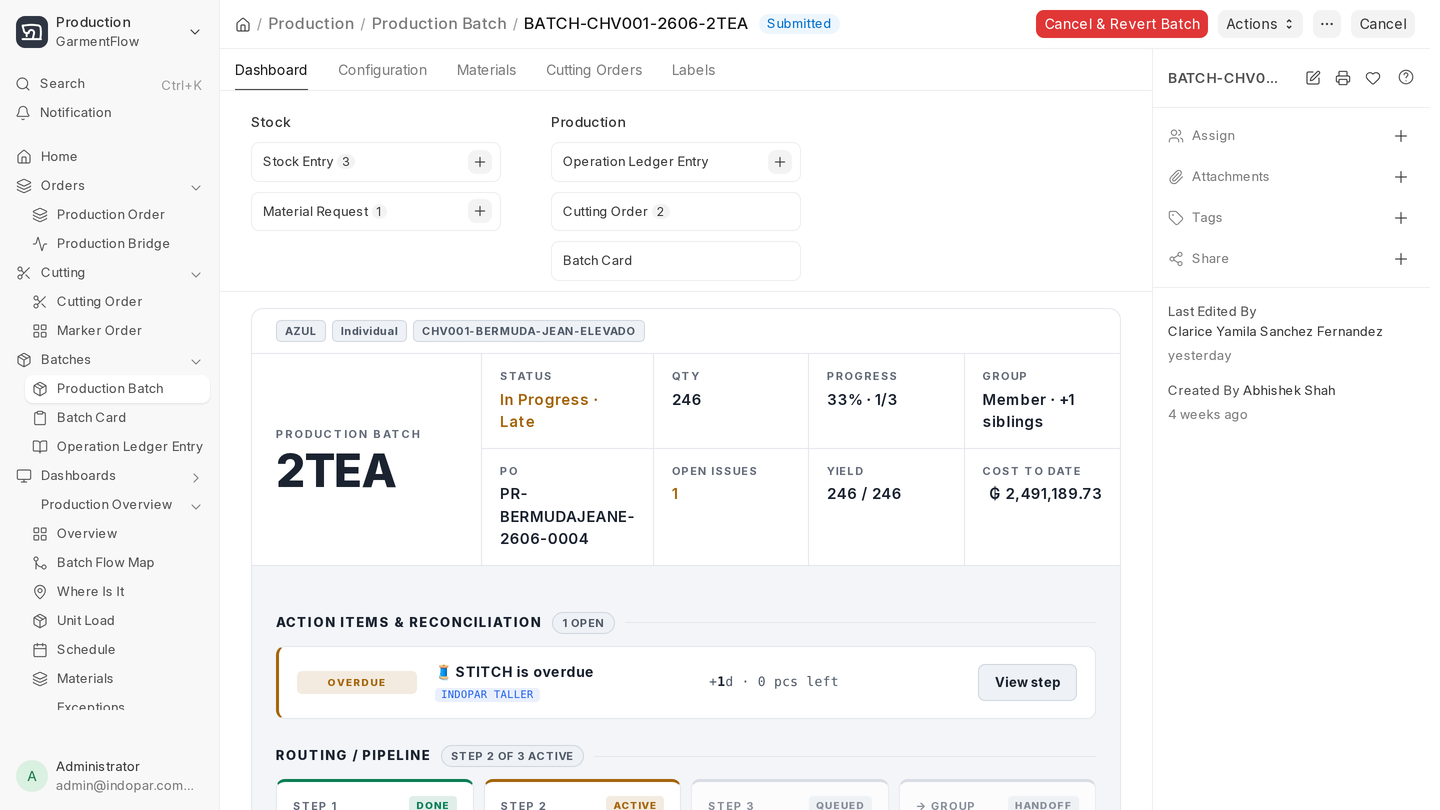
A Production Batch is what actually runs on the floor. It's a slice of a Production Order that travels together — same cut, same line, same path — from spreading through finishing.
Everything the floor does is a Batch-scoped action: materials are issued to a Batch, operations are recorded against a Batch, costs roll up into a Batch, finished goods come out of a Batch. If you only learn one doctype on the production side of GarmentFlow, learn this one.
Getting there
Awesome bar: Cmd/Ctrl + K → type
production batch→ pick Production Batch ListClick path: Desk → GarmentFlow → Production → Batches & Execution card → Production Batch
Most factories don't create Batches by hand from scratch. They come from a Production Order — either through the batch planner or through a Cutting Order that's been authorized to spawn one.
Two batch types
A Batch is one of two types, and you pick at creation:
- Individual — the standard. The Batch is linked to one or more Cutting Orders; cut quantities feed batch quantities; in-house operations track cost from internal labor.
- Group — for outsourced or service-run batches that don't tie to a single cut. Cost lands through a service item, a Blanket Order, a PO, or a Purchase Invoice instead of from internal labor. Used when an operation (washing, embroidery, dyeing) is outsourced for a whole group of styles at once.
Pick the wrong type and the cost rollup goes sideways. The good news: most factories use Individual for almost everything, with Group reserved for explicitly outsourced service runs.
The lifecycle
A Batch moves through five states:
- Draft — being set up.
- In Progress — at least one operation is open and the floor is doing work.
- On Hold — paused. Reason captured on the Batch.
- Completed — every operation is closed and quantities reconcile.
- Cancelled — the Batch died before completing.
The tabs at a glance
Each tab has its own page below:
- Operations and steps — Operations section, Batch Operation Step rows, cost source per step.
- Sizes and cutting — Batch Size Plan, linked Cutting Orders, how cut quantities become batch quantities.
- Materials and execution — Materials, Work Instructions, Labels, Logistics (Operation Ledger entries).
- Cost rollup — Cost section. How material cost and labor/service cost land on the batch.
The Configuration section at the top carries batch type, posting date, status, priority, and the current operation the batch is sitting at. The status chip and the current operation are what supervisors look at when they want to know "where is this batch right now."
What to do next
Open Operations and steps to understand how a Batch is broken down into the steps that actually get tracked.