The Design Workspace
If you're a designer working in GarmentFlow, this is your home. Open Desk → GarmentFlow → Design and almost everything you touch day to day lives one click away.
The Design workspace is built around four things, in roughly this order:
- Tech Packs — the specification for a style. The one document every conversation about a garment eventually points to.
- Samples — the prototypes you make from a Tech Pack to prove the style works before you commit to production.
- Patterns — the measurement and assembly intelligence behind every Tech Pack, organized in a library you grow over time.
- Masters — the reference data you maintain so every Tech Pack speaks the same language: brands, fits, fabrics, colors, size charts, washcare symbols.
Below those four, the workspace also surfaces a row of reports — tech pack readiness, sample pipeline, measurement deviations, pattern POM growth — that answer the questions you'll actually want to ask once you have real work in flight.
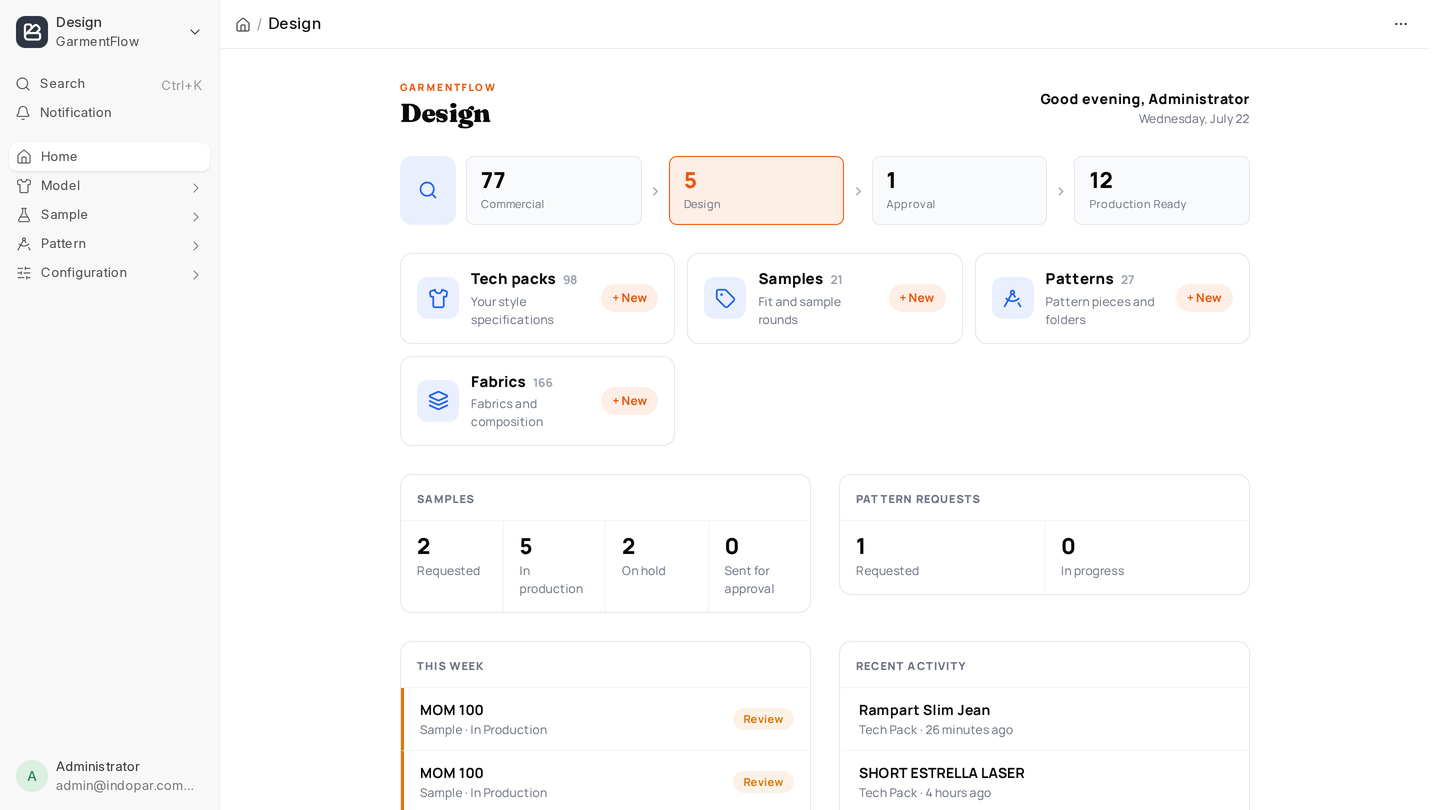
How a style flows through GarmentFlow
The mental model that makes everything else click:
A Tech Pack describes a style. From it you spin off Samples to validate the design, and you attach a Pattern that carries the measurements and assembly. Once design, sampling, and the pattern all agree, the Tech Pack moves to Production Ready and the rest of the factory takes over.
Every doctype on this page is a stop on that loop. The rest of the Design section walks through each one.
Where to start
If this is your first time in the workspace, read in this order:
- Tech Pack — the centerpiece. Understand it first; everything else is in service of it.
- Samples — how you validate a style.
- Patterns — the measurement spine.
- Masters — what to set up once so the rest is easy forever.
When you're ready to look at the whole pipeline at once, jump to Design reports.