QC Overview
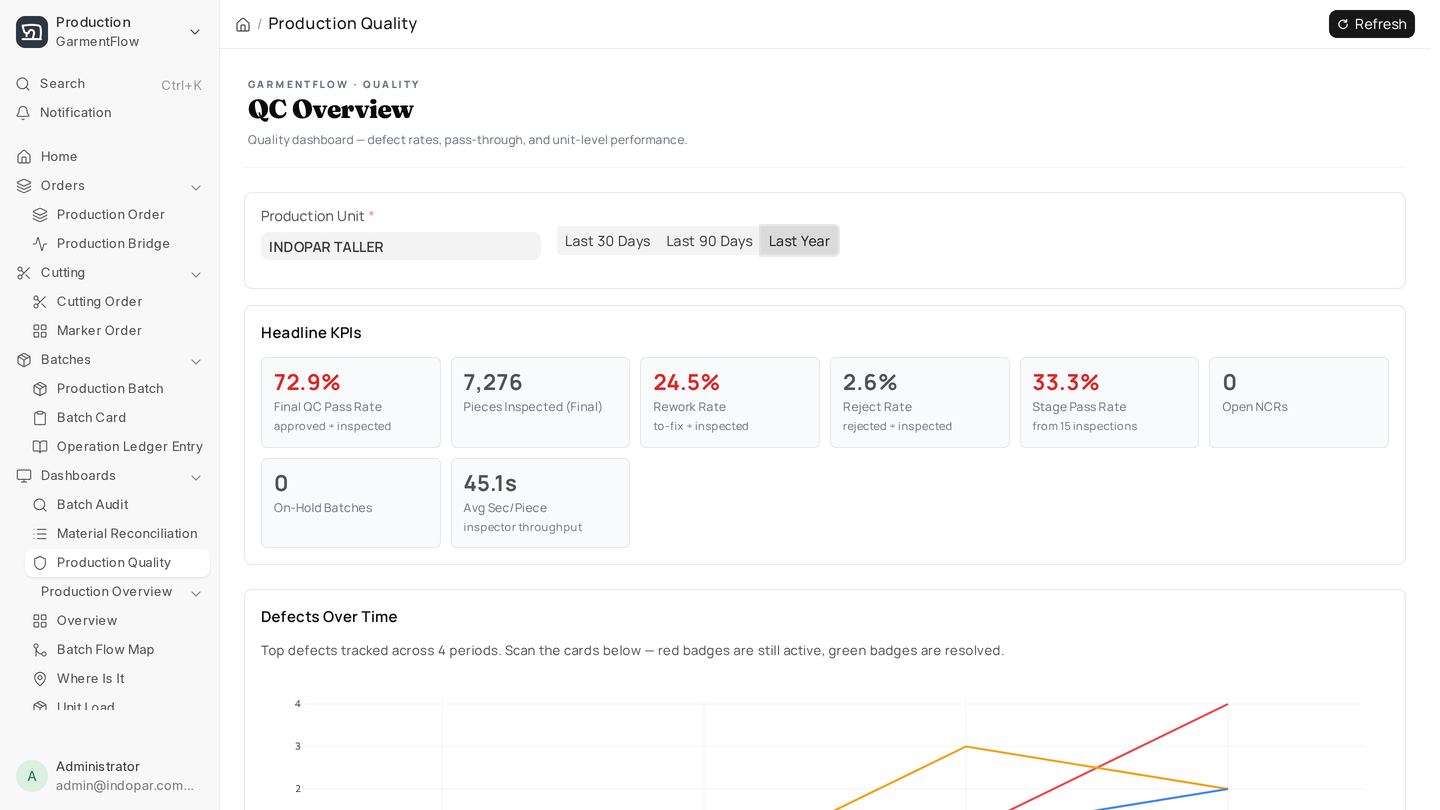
The QC Overview is the headline dashboard for the quality function. It's the page a quality manager opens first thing in the morning and refers back to throughout the day.
What it shows
The overview surfaces the metrics that summarize quality at-a-glance:
- Inspections today, this week, this month — volume of inspection activity.
- Pass / Accept-with-Deviation / Reject / Hold rates — the headline result mix.
- Defect rate trend — average defect rate across recent inspections, by day.
- Critical defect count — running count this week.
- Open Holds for Review — batches stuck waiting for manager decisions.
Plus a few drill-down lists: the most recent failed inspections, the units with the highest current defect rate, the batches currently on Hold for Review.
How to read it
Three patterns to watch for:
- A creeping defect rate trend. If the line on the trend chart is sloping up over a week or two, something has shifted. Could be a new fabric lot, a new operator on a line, a setup drift. The chart is the early warning; the issue radar tells you what.
- A spike in Hold for Review. Holds mean inspectors aren't comfortable making the call alone. Either the bar moved (a brand changed their tolerance and inspectors aren't sure) or the spec changed (a Tech Pack revision wasn't communicated). Either way, talk to the team.
- A reject rate dropping suspiciously low. Yes, low rejects can be good. They can also mean inspectors have started rubber-stamping. Cross-check against in-line inspection volume — if rejects fall but in-line volume falls too, that's a flag. If rejects fall while in-line volume rises, that's a real improvement.
When to act
The dashboard surfaces; you decide. A few common decisions:
- Critical defect alert at 3+ this week? Pull the Issue Radar to see which defect categories are driving it.
- Holds for Review piling up? Review them in a batch — block out an hour, walk through each Hold record, make the calls.
- Defect rate trending up at a specific unit? Open the unit's status page (see below) and dig into the per-operation breakdown.
The Overview is meant to be read in 90 seconds and acted on within an hour. If you find yourself staring at it for ten minutes trying to understand what to do, the configuration probably needs work — too many widgets, too many KPIs, not enough signal.
What to do next
When the Overview prompts a "which line is drifting" question, open Unit status and risk.